


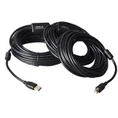


With the rapid development of technology, USB interfaces have become an indispensable part of our daily lives. In the industrial field, especially in industrial rugged laptops, USB interfaces are more widely used. Understanding the different types of USB ports and their uses is essential for the correct use and maintenance of industrial rugged laptops. This article will deeply analyze the uses of USB-A ports, USB-B ports, USB Mini-B ports, USB Micro-B ports, and USB Type-C ports to help you better understand their roles in industrial applications.

1. USB-A port
USB-A is the most common type of USB interface, used to connect various devices, such as USB flash drives, mice, keyboards, etc. Its interface shape is rectangular, with high popularity and compatibility.
Function
Universal connection: The USB-A interface is suitable for most conventional USB device connections, such as storage devices, input devices, etc. In industrial environments, it can easily connect various external devices to achieve data transmission and control functions.
Strong compatibility: Due to its wide popularity, almost all external devices support the USB-A interface. This makes it highly compatible and interoperable in industrial equipment.
2. USB-B port
The USB-B interface is generally used for devices such as printers and scanners, and its interface shape is flat, which is opposite to the USB-A interface.
Function
Professional equipment connection: The USB-B interface is suitable for scenarios where professional external devices need to be connected, such as printing, scanning, etc. In the industrial field, it can provide stable and reliable connection support for portable machines to ensure efficient production processes.
Extended function support: Through the USB-B interface, the industrial reinforced portable machine can be extended with various external devices to achieve richer function integration.
3. USB Mini-B port and USB Micro-B port
USB Mini-B and USB Micro-B are smaller USB interface types, which are used for portable devices such as mobile phones and tablets.
Function
Portable device connection: These two interface types are suitable for scenarios where portable devices need to be connected, such as smartphones, tablets, etc. In industrial applications, they can be used to achieve fast data transmission and charging functions.
Mobile office support: Through the USB Mini-B and USB Micro-B interfaces, the industrial reinforced portable machine can easily synchronize data and charge with mobile devices, improving the efficiency and convenience of mobile office.
4. USB Type-C port
USB Type-C is a new type of USB interface with the characteristics of forward and reverse plugging and faster transmission speed. It is suitable for scenarios such as high-speed data transmission and large-capacity storage.
Function
High-speed data transmission and large-capacity storage support: The USB Type-C interface supports faster data transmission speeds and the connection of large-capacity storage devices. In industrial applications, it can meet the needs of high-speed data acquisition and real-time processing.
Multi-purpose connection: In addition to the traditional data transmission function, the USB Type-C interface can also be used for functions such as video output and charging. This provides more expansion possibilities for industrial reinforced portable machines.
Positive and negative plug-in design: The USB Type-C interface adopts a positive and negative plug-in design, which makes it more convenient and quick for users to connect devices and improves work efficiency.
5. Choose the right USB port type
When choosing which USB port to use, you need to consider it according to actual needs. For example, if you need to connect conventional storage devices and input devices, you can choose the USB-A interface; if you need to connect professional external devices such as printers and scanners, you can choose the USB-B interface; if you need to connect portable devices and achieve fast data transmission and charging functions, you can choose USB Mini-B or USB Micro-B interfaces; if you need high-speed data transmission and large-capacity storage support, you can choose the USB Type-C interface. Correctly selecting and using these ports can greatly improve the performance and user experience of the device.
