

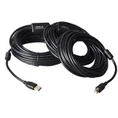


A USB data cable is nothing more than a line plus two heads, which seems simple, but did not imagine the simple, small data lines, hidden many you may not know the knowledge, and USB Type-C turned out It is not clear that it can not see it.
The USB Type-C connector can reduce the trouble of plugging USB devices, and USB Type-C also supports the following technologies: Data rates up to 10Gbit / s USB3.1 specification, up to 100W power Output, audio multiplexing, and switching modes such as video signals such as DisplayPort or MHL.
Although the industry has been dealing with USB for decades, but the realization of Type-C connection still brings a lot of new challenges. For example, when operating at 10 Gbit / s, the voltage swing on the data line is less than 0.5V. The designer needs to implement an equalizer in the physical layer (PHY) of the connected receiver to obtain the input signal. In this case, the "eye" in the eye of the signal is substantially closed and the necessary equalization is required to In the "eyes" open, at the same time, the display signal represents the logic 0 or logic 1.
There are still many other challenges when implementing Type-C connections, especially when the USB3.1 specification works at full data rates of 10 Gbit / s.
USB Type-C Introduction:
1, ultra-thin
Thinner body needs thinner port, which is one of the reasons USB-C turned out. USB-C port length 0.83 cm, width 0.26 cm. The old USB port is 1.4 cm long and 0.65 cm wide. This also means that the end of the USB-C data cable will be one-third of the size of the standard USB-A data cable plug.
2, no positive and negative
Like Apple's Lightning interface, the USB-C port is the same as the front and back. That is, no matter how you insert this port is correct. Users do not have to worry about the traditional USB port brought about by the positive and negative problems.
3, fast
Theoretically, USB-C ports have a maximum transfer rate of 10Gb per second. But Apple said the new MacBook USB-C port maximum transfer rate of 5Gbps. The maximum output voltage is 20 volts, which can speed up the charging time. The USB-A type, so far the limit transfer rate of 5Gbps, the output voltage of 5 volts.
4, versatile
The new MacBook's USB-C port can transfer data, charge it as a video output port to link external display devices. The only question is how Apple meets the users who want to do these three things at the same time.
5, two-way
USB Type-C unlike the old USB port, power can only one-way transmission, USB-C port power transmission is two-way, which means that it can have two transmission power mode. Therefore, users can not only use a laptop to charge mobile devices, you can also use other devices or mobile power for the notebook to charge.
6, backward compatible
USB-C can be compatible with older USB standards, but users need to purchase an additional adapter to complete compatibility. Apple said that not only Apple will sell the adapter, third-party companies can also authorize the production.
What are the issues that need to be addressed when developing USB Type-C?
1, reconsider PHY
For example, the positive and negative plug-in features of the connector need to be reconstructed in the implementation of the physical layer. When running at USB 2.0 data rate, the designer can use a pair of resistors to short-connect the two data paths into the physical layer to indicate how the connector is plugged. At a lower USB 2.0 data rate, the physical layer has sufficient performance margins to handle the reflections caused by the shorted data path.
For USB3.0 and USB3.1 data rates, the designer needs to implement two data paths to handle higher rates. Through a connector in the direction, the system is connected to a data path and in the other direction the system is connected to another data path. The dual data path is necessary because, when transmitting at 5Gbit / s and 10Gbit / s data rates, the direction of the short pass through the data path will cause too much signal reflection to break down the data.
The designer needs to decide how to solve the problem. One solution is to use two physical layers, each with a physical layer. The drawback of the dual physical layer solution is that it takes 20% to 25% of the extra area to implement two SuperSpeed data paths and two Hi-Speed data paths, and requires two sets of phase-locked loop circuits (PLL) and two sets of power, ground and data pins. The end result is that a system-owned high-speed data path is one more than its actual needs.
A more efficient implementation is the use of a physical layer that has been optimized for the USB Type-C specification, which has two SuperSpeed data paths, a Hi-Speed data path, a set of phase-locked Ring circuit and a set of power, ground and data pins.
The choice of the designer depends on their final application. The cost-sensitive market will choose to save on the area and the chip can be achieved by eliminating an additional Hi-Speed data path and reducing the number of pins by up to 40%.
2, USB Type-C signaling
The second challenge to implementing USB Type-C is the signal complexity required for 24-pin connectors. The USB Type-C specification specifies the configuration channel (CC) signal and the power output (PD) signal to define the parameters, such as the direction of the connector, how much power can any of the wires plugged into the Type-C port, and the connector When it is for the audio and video and in the switch mode.
While supporting the configuration of channel signals with power output signals required for additional logic: power output message controller and configuration channel logic. Part of the design challenge is to deal with two signals that may occur at different voltages, depending on the signal combination at that time.
The Type-C specification also eliminates the USB On-The-Go concept, but instead takes the Dual Role Port concept. USB On-The-Go is a signaling method that indicates whether a port is used as a host or as a device. The On-The-Go protocol uses the ID pin to signal whether the port is acting as a master or a device at work; however, Type-C does not have this signal, so it is necessary to use the power output message to do this, which makes the PD signal To achieve further complication.
3, systemic problems
Type-C connector can make USB users more convenient life, but the cost is to make the designer's work becomes more complex. Designers will have to decide which one they want to support USB 2.0, 3.0 and / or 3.1, how to handle power output, and whether to support audio and video switchable mode.
USB Type-C implementation will also have a system impact. For example, if SoC intends to support power output functionality, the designer can choose to use an external power management chip that meets all the relevant security conditions. This means dividing the power output and configuring the channel logic, perhaps between the physical layer and a separate power management chip, or between the main system CPU and even a dedicated external microcontroller.
Synopsys' comprehensive USB controller and physical layer IP portfolio has been successfully adopted by more than 3,000 USB designs and has been validated with about 3 billion shipped devices. This is an in-depth and straightforward design experience that enables us to develop USB3.1 physical layer IP optimized for use with Type-C connectors and support tools and verification environments necessary to implement Type-C functionality - This makes the designer's work easier.
4, "line" of the problem
In addition to USB can be used to transfer data, but also as a means of power supply. The initial USB standard because it does not have the power supply capacity, so USB 1.0 and 2.0 power supply capacity is limited to 2.5w (0.5A / 5v). Although this is enough to supply mobile phones and other small electronic devices, but for external drives, it is clearly not enough. And USB 3.0 came into being, its supply value of up to 4.5w (0.9a / 5v).
And in the USB 3.1 standard USB Type-C interface power supply capacity can reach a maximum of 20V / 5A, which is 100w, not only to meet the requirements of mobile phone charging, but also to meet the flat-panel equipment and computer charging needs; In addition, Power supply capacity, you can also remove other high power consumption of external equipment need to connect another power supply trouble.
In addition, there are some problems with USB Type-C power supply. Which is good and there are deficiencies. The good news is that the USB PD 2.0 standard can power the notebook or tablet directly in the future, while also allowing the smartphone to be used as a mobile power source.
On the other hand bad news is that there is no so-called all-around USB cable come out, these cables need to build a special chip, which contains information on the cable. Full-featured USB cable needs to be able to withstand 1.5a or 5v of current, and this cable cost than ordinary USB cable much higher

USB Type-C knowledge of all-round interpretation
Jun 28, 2017Leave a message
Send Inquiry