


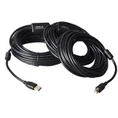


How Do I Know if My Cable is USB 1 or 2?
Determining whether your USB cable supports USB 1.1 or USB 2.0 can be a bit tricky as it's not always clearly labeled on the cable itself. However, there are a few general guidelines you can follow:
Check the Connectors: USB 2.0 connectors often have a black or dark-colored plastic insert inside the connector, while USB 1.1 connectors typically have a white or beige insert. This color difference can sometimes indicate the cable's capabilities.
Check the Cable Markings: Some cables may have markings or labels that indicate their USB version. Look for any text or numbers printed on the cable's outer insulation.
Test the Cable Speed: Connect the cable to a USB 2.0 port on your computer and a USB 2.0 device (such as an external hard drive). If the device operates at high-speed (480 Mbps), it's likely a USB 2.0 cable.